
CLINICAL SKILL-BUILDING
The Fidelity Platform
The Fidelity Platform is an online, self-paced training hub designed to upskill facilitators through a variety of learning modalities.
Home / Products & Services / Training / Self-paced Learning
DYNAMIC LEARNING
Platform Overview
Invest in your staff's ability to master evidence-based practices and measure progress. The Fidelity Platform is a one-stop resource center providing a wide range of evidence-based skill-building opportunities for staff, along with convenient access to client-facing materials. Features include:
| On-demand training for CEUs | |
| A growing microlearning library | |
| Access to client resources | |
| Staff well-being resources | |
| More features for enhancing fidelity on the way |
MODULAR COURSES
On-demand Training
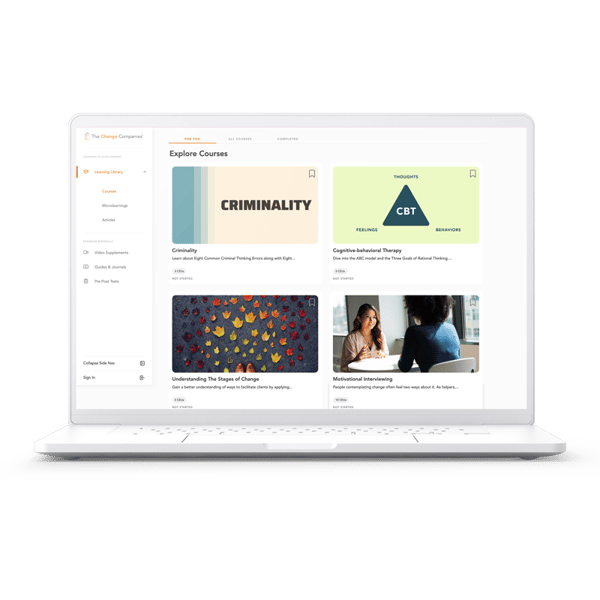
The Change Companies' growing on-demand training library delivers evidence-based skills while meeting the demands of your staff's busy schedules. With on-demand training, you can enjoy training at your own pace from your own device. On-demand trainings include the following topics:
| Course Title | Description | CEUs Available |
|---|---|---|
| Foundational Facilitation Skills | Build core skills to effectively lead Interactive Journaling sessions that promote growth and engagement. | 1.5 CEUs |
| Cognitive-Behavioral Therapy | Explore the ABC model, rational vs. irrational thinking, and key thought patterns like attitudes, values, and self-talk. | 3 CEUs |
| Criminality | Learn the Eight Criminal Thinking Errors and Eight Positive Attitudes and Values to help clients apply these strategies in real life. | 3 CEUs |
| Stages of Change | Apply the Transtheoretical Model to help clients build self-efficacy and navigate the challenges of behavior change. | 3 CEUs |
| Motivational Interviewing 1–5 | Introduces the core principles of Motivational Interviewing to foster empathy, partnership, and behavior change. | 10 CEUs |
BITE-SIZE LEARNINGS
Microlearning Library
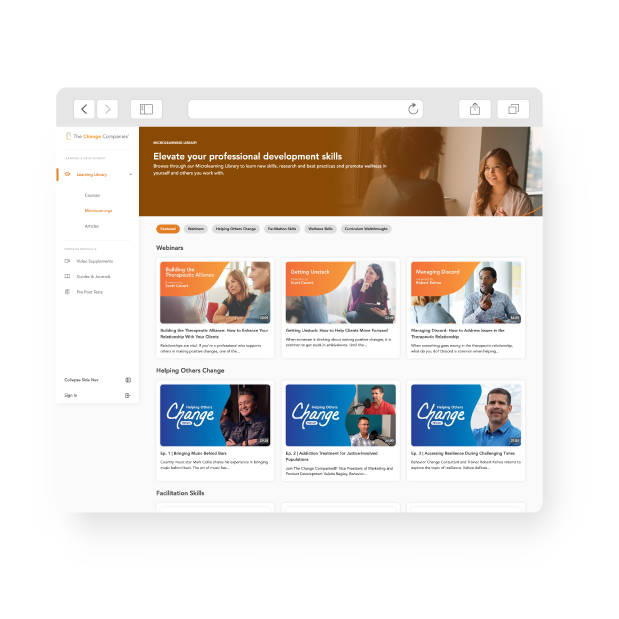
Microlearnings are designed to elevate your professional development skills with brief, accessible skill-building content. The microlearning library includes facilitation skill overviews, session vignettes, webinars, wellness skills, curriculum walkthroughs, podcasts and more. Check back frequently to view new content geared to your specific professional development needs.
LEARNING TRACK
The ASAM Criteria
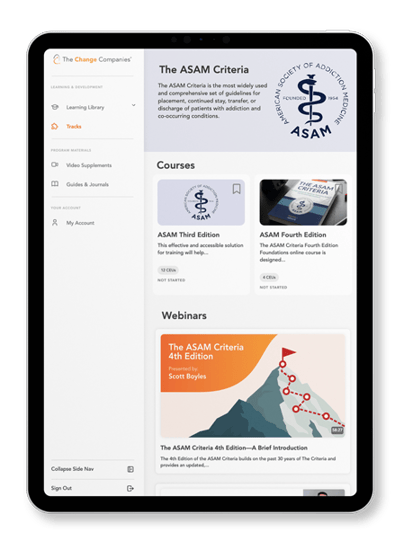
The ASAM Criteria Track features articles, videos, on-demand trainings, and more specific to effective implementation of the ASAM Criteria and other evidence-based addiction treatment best practices.
The track features:
| Content specific to implementation of the 3rd or 4th edition of The ASAM Criteria | |
| Comprehensive overviews of levels of care and the ASAM dimensions | |
| Guidance on treatment planning and clinical documentation | |
| Harm reduction approaches | |
| Implementation guidance | |
|
And more! |